How to make a malicious hacker’s job easier
Have you ever stopped to think that you could compromise your company, or its data, without meaning to? That you could be the entry point for a leak of your client’s entire database?
Those questions are meant to scare you a little and make you picture yourself in that situation. We live in an age of euphoria over sharing data, information, and status updates. All of it comes at a price.
I’m not talking about our personal data, which would make for another long article, but about the confidential data and information of the companies we work for. When we study social engineering and security culture, the cases we look at always seem far removed from our own reality. The truth is, they’re closer than we’d like to think.
I’ll share some of what I’ve seen in the systems and networks of companies headquartered in my city (Blumenau, in the state of Santa Catarina, Brazil), as a wake-up call that situations like these aren’t far from home.
What have I seen around here?
To protect the organizations involved, I won’t name names or give many details about the vulnerabilities I found. I’ll just list a few situations I’ve come across in companies nearby:
- Databases with exposed administrator usernames and passwords, open to remote access.
- Service API tokens.
- Remote virtual environments left accessible.
- Exposed video conferences and meetings.
- Privilege escalation in internal systems.
- Unauthorized access.
- Corporate email addresses linked to exposed passwords.
Every one of these was found without any social engineering, just by collecting public data exposed on the internet and on social media.
How did I get this information?
Here are three examples of places that are completely ordinary and familiar to everyone in tech.
GitHub
There are plenty of sources, but the best one is GitHub (or any other public source code repository). Many corporate repositories are open, maintained by employees who don’t give security much thought or who have no commit review policy in place.
That makes searching much easier. Combined with a search engine like Google, you can find system access details in configuration files: usernames, passwords, access tokens, and other valuable data.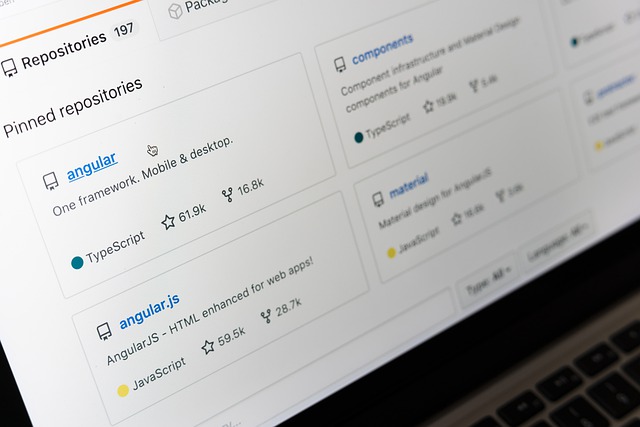
Another very useful source is LinkedIn. It’s easy to identify a company’s employees and dig through their profiles, and many of them post photos of their workspace or screenshots of something work-related. Every now and then, they end up exposing something they shouldn’t.
Employees also tend to have personal GitHub accounts, which often hold projects built for private companies, usually the ones they work or used to work for. Those can contain confidential information too.

Trello
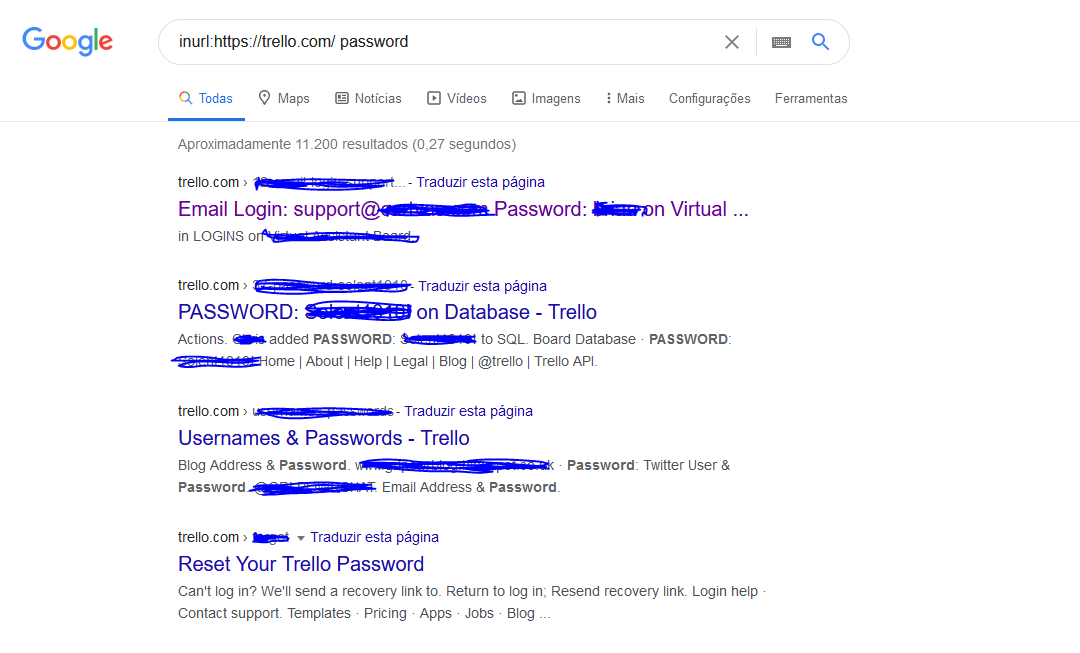
Did you know that public boards get indexed by Google? Or that a board you thought was private might actually be public?
With a search engine and a few keywords (try searching Google for “inurl:https://trello.com/ password“), you can find sensitive information that’s been indexed. You can also search by company name, which can turn up boards maintained by the company’s partners as well.
It’s striking how much sensitive information people put on boards like these.
What can you do?
First and foremost, build an internal culture that spreads security best practices and training. Plenty of non-technical behaviors can leak information too.
The best way to start curbing data leaks and compromises is consistent internal training that reaches absolutely everyone involved, combined with automated checks and tests that run on a routine basis.
GitHub is not your enemy, and you don’t need to rush off and make every repository private. Open-sourcing your code is often a great strategy, but it calls for a few precautions:
- Watch your project’s configuration files.
- If it has no public value, keep it private.
- Be careful with a repository’s commit history: once a file with sensitive data is pushed, it stays in the history even after you delete it.
- Know where your application’s private keys and tokens live, so they never end up in the repository.
- If your personal repository holds source code or projects tied to a private company, move them to the company’s official repository or make them private.
Social media calls for countless precautions, but two are worth repeating:
- Don’t post photos of your workplace.
- Watch what’s visible in your screenshots (URLs, icons, data).
At a time when everyone wants to be “agile,” tools like Trello have exploded in popularity for managing shared boards. That’s great, but you need to keep in mind who can access what you put there:
- Make sure you never write sensitive information or passwords on cards.
- Use private boards restricted to your teams.

Conclusion
It’s worth stressing that GitHub, LinkedIn, and Trello aren’t the only places to get this kind of information. I picked just three examples, and there are plenty of other ways, paths and tools for digging up data. My goal was simply to highlight a few of the most common, easily accessible options.
Simple, right? No “hacker” super-tool was needed to collect sensitive company information and set the stage for a break-in with devastating consequences. All it takes is a bit of creativity and knowing where to look.
Notes:
- Every problem observed and described here was properly and privately reported to the parties responsible.
- Thanks to Matheus Hoeltgebaum for reviewing the text.