You may have noticed that cookies have a few attributes (HttpOnly, Secure and SameSite), or you may have seen console warnings about your application misusing the SameSite attribute.
When I went looking for explanations of what the attribute does, I wasn’t sure I had really understood how it worked. After building a few proofs of concept to validate the idea, I finally got a clear picture of its behavior.
So here is my goal: explain what it is in plain terms, demonstrate it with examples and clarify what it’s really for.
Contents
- Quick summary
- Flowchart
- Background
- An example
- SameSite = None
- SameSite = Lax
- SameSite = Strict
- Conclusion
- References
Quick summary
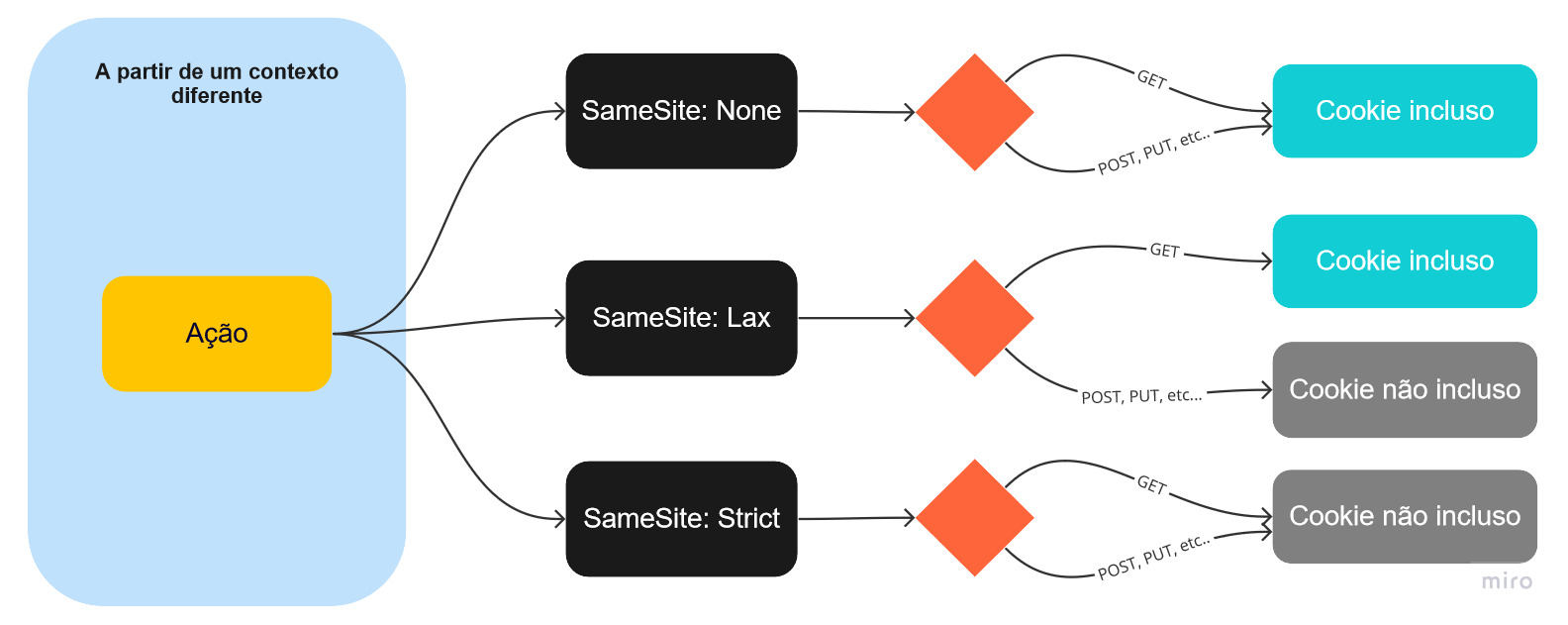
The attribute has 3 possible values: None, Lax and Strict. Each one controls whether the cookie is sent in different request contexts.
By “context” I mean whether or not the request originates from within the same application. In practice, that means something like the application following a link to another system.
None: The cookie is sent without restriction in any context.
Lax: The cookie is sent in a cross-site context only when the request uses the HTTP GET method.
Strict: The cookie is sent only in the same context, regardless of the HTTP method used.
Flowchart
Background
To see what this affects in practice, consider that most web applications that require authentication keep track of who you are through session cookies, which hold a unique identifier. That value is extremely valuable: it is what tells the application that you are you on every action you perform.
If someone gets hold of that value, they can use the application as if they were logged in with your account.
That’s why it’s important to have strategies that mitigate cookie hijacking, which leads to session hijacking, and the SameSite attribute is one of them.
An example
Imagine an application with a method that makes a payment from the logged-in user’s account. Naturally, this method only works for a properly authenticated user, since the payment has to be debited from that user’s account.
Every time the payment action is performed inside the application, the application’s session cookie is sent along with the request, identifying the user who is performing the action. Because the context is the same, the cookies are sent “without restrictions”.
When the same action is performed in another context (for example, triggered from another system, page or link), whether the cookie that identifies the user is sent depends on the SameSite attribute and on the type of action being performed.
Here, for example, is the payment method being executed within the system’s own context:
Once we know the method and how it is executed, we can forge a request and try to get the user to run it for us, using their own account. This can happen through forged sites, malicious links embedded in files, phishing, or just by browsing insecure, vulnerable environments.
Our malicious form looks like this:
1 | <html> |
SameSite = None
Setting the value to ‘None’ gives us the least secure scenario possible: no restrictions are applied to the cookie, and it is sent with any kind of action, regardless of context. The cookie looks like this:
So if we succeed in tricking a user who is logged in to the target system into opening or running the forged form, the request automatically includes their session cookie, because the browser attaches any stored cookies for the target’s domain to the request.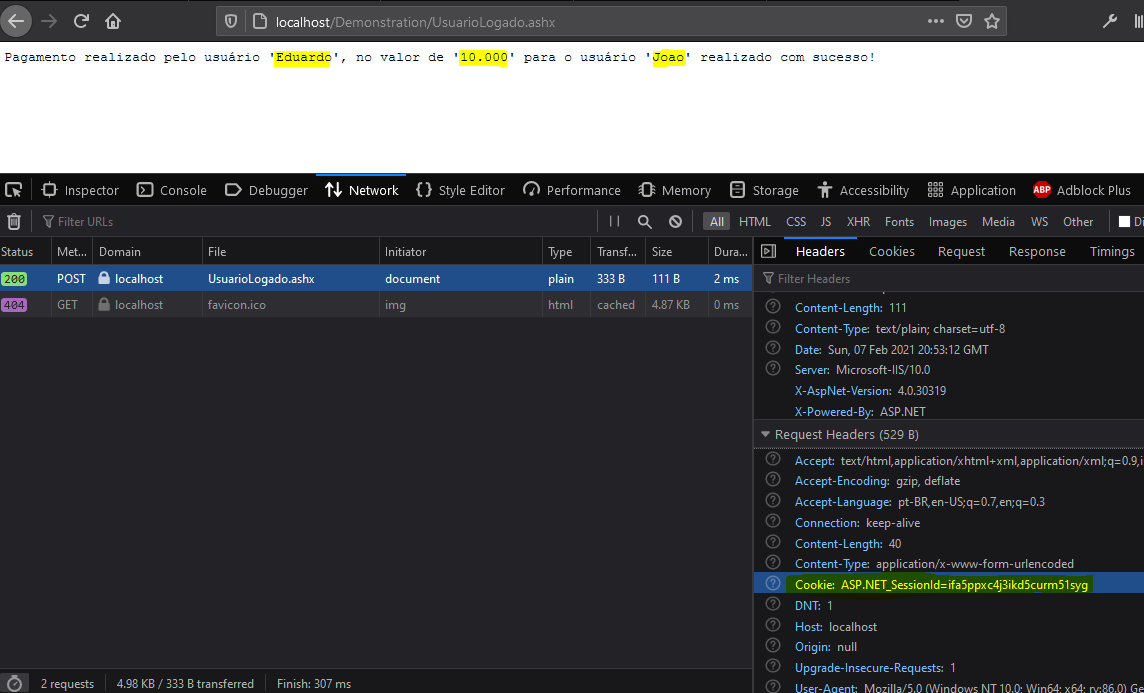
The same result holds for any HTTP method we use here: GET, POST, DELETE, PUT, and so on.
SameSite = Lax
With the value set to ‘Lax’, things get a bit more restricted: cookies are automatically included in requests originating from a different domain or context only for GET requests.
Repeating the same action, we can see that the cookies are not sent, so the user isn’t identified by the system and the action isn’t executed: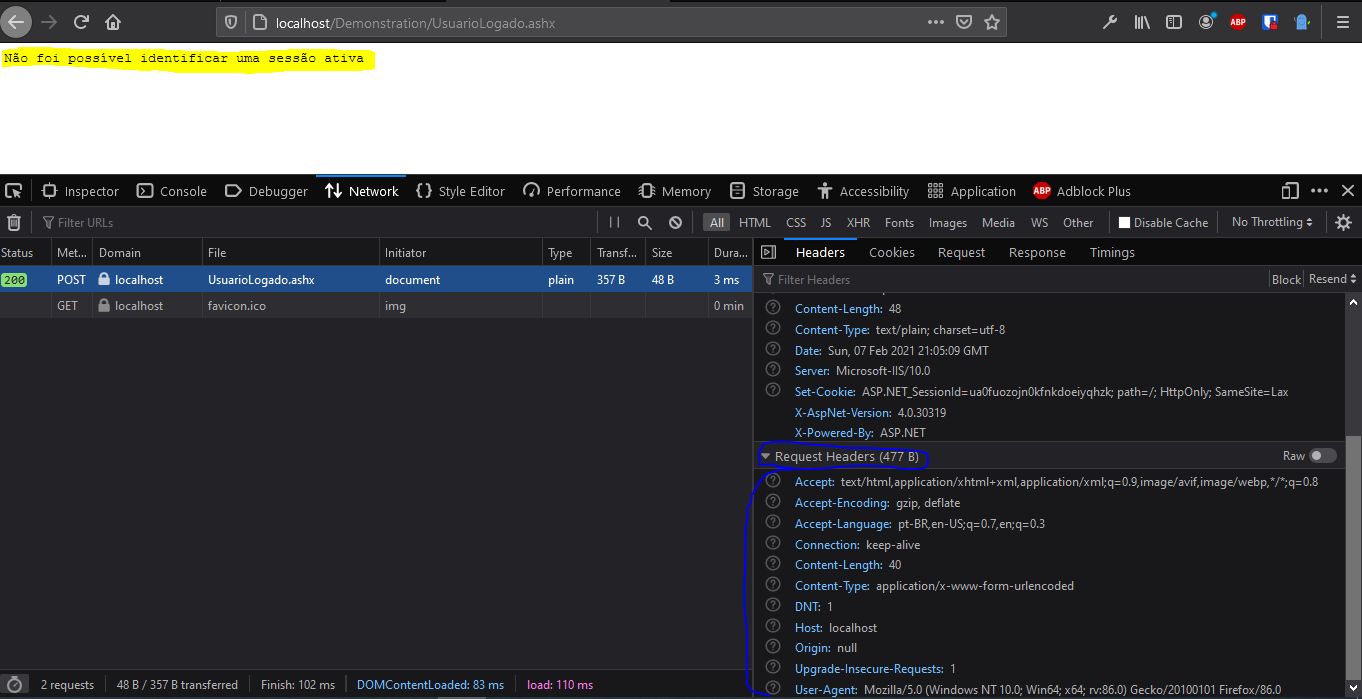
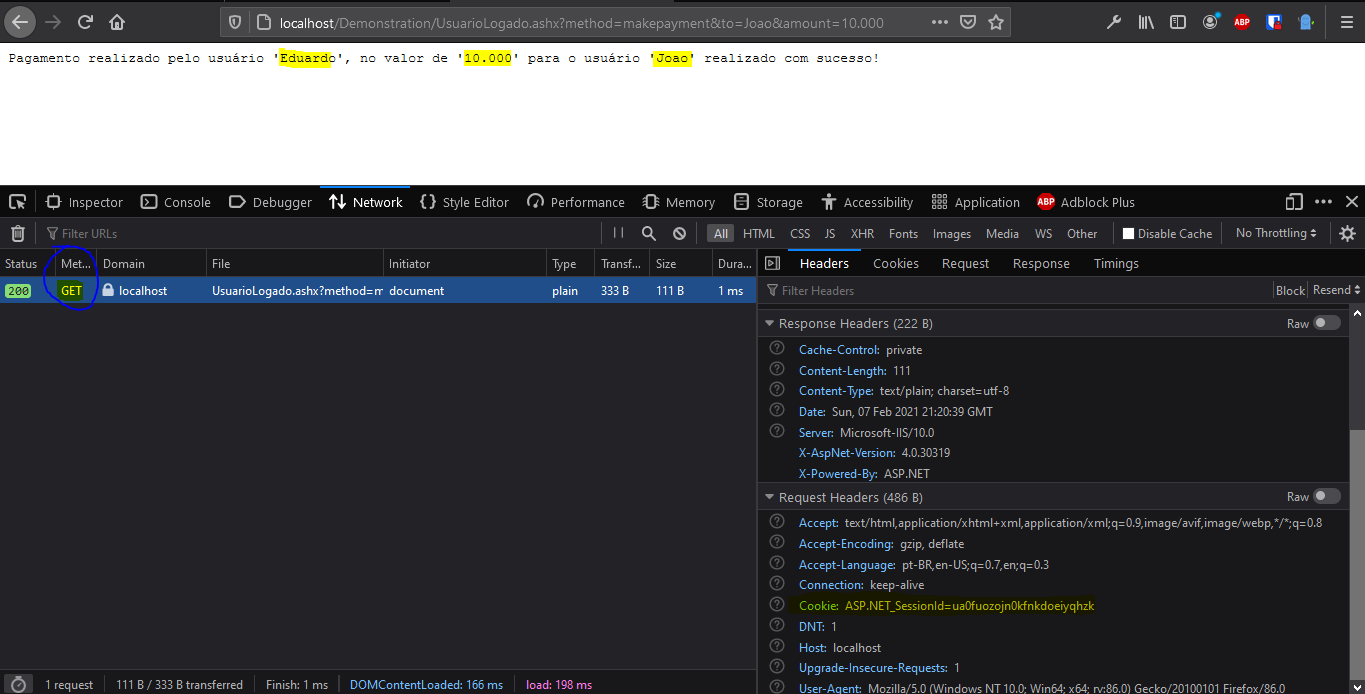
However, if we switch the method to GET, exactly as the Lax definition says, the cookies will be sent. If the application allows it, the same action can be carried out successfully.
Method changed in the example form:
1 | <form method="GET" action="http://localhost/Demonstration/UsuarioLogado.ashx"> |
SameSite = Strict
With the value set to ‘Strict’ we reach the most secure scenario, but also the most restrictive one. Here, even GET requests from a different context won’t carry the same-domain cookies.
Depending on the application, this restriction can be a poor fit in some scenarios, such as when a link to a page in the user’s area is shared by email or embedded in other contexts.
Here is the same action executed via GET, with no session cookie being sent: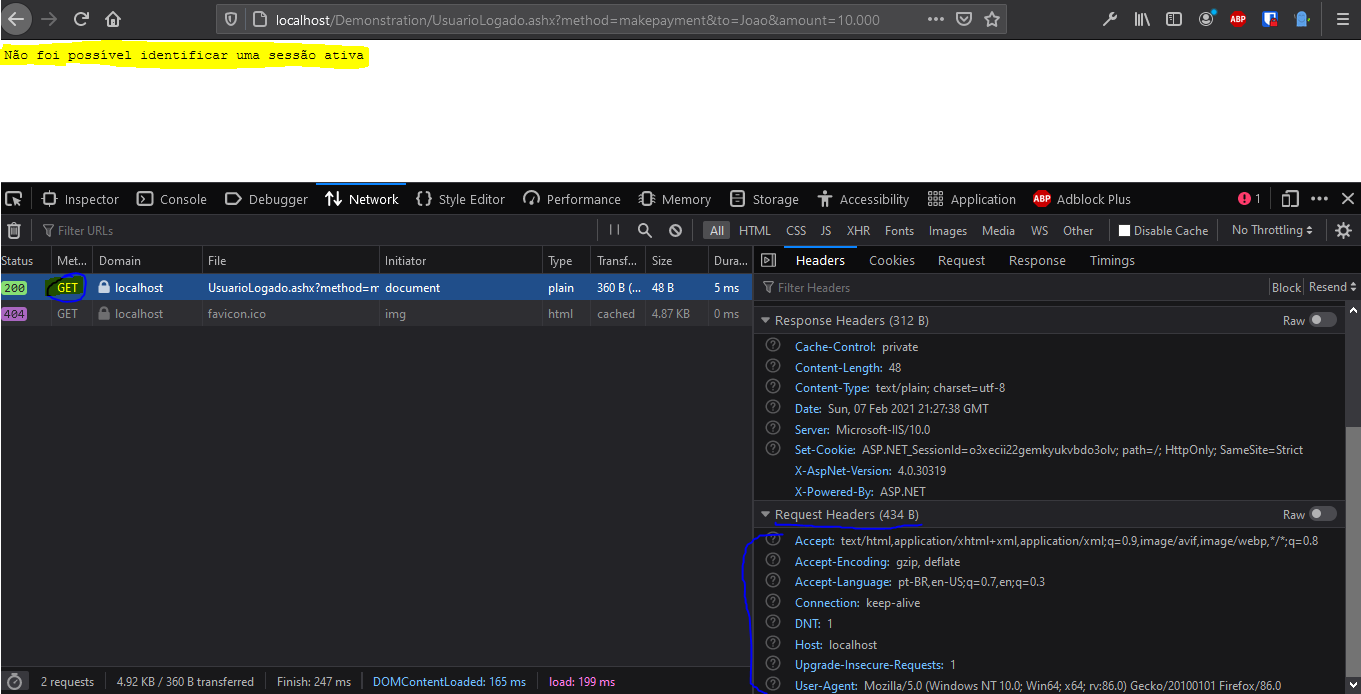
Conclusion
In many applications, HTTP methods aren’t validated, are used carelessly or aren’t restricted. As in the Lax example, if the application simply accepts a GET on a method meant to be called with POST, we can defeat the purpose of SameSite. That is one reason why it’s so important to implement the HTTP methods of your exposed endpoints correctly.
The main purpose of the SameSite attribute is to mitigate Cross-Site Request Forgery (CSRF) attacks, reducing the chance of phishing that abuses your application, session theft or arbitrary invocation of methods.
References
https://developer.mozilla.org/en-US/docs/Web/HTTP/Headers/Set-Cookie/SameSite