Google Hacking: What the eyes can’t see, Google indexes
For years, everyone’s favorite search engine has been used mostly for everyday, harmless or perfectly legitimate queries. But it does more than that. It indexes information and files we never imagined, sometimes things that were never meant to be public. And all of it is right at the fingertips of people with bad intentions.
Google Hacking, also called Google Dorking, is the term for queries designed to find exposed sensitive information, misconfigurations and leaked data. All it takes is a handful of simple operators and, as always, a bit of creativity.
Once again, the point is to show that you don’t need deep technical knowledge or restricted, complex tools to easily reach sensitive information that can cause real headaches for a lot of people and companies. If we know how our information gets attacked or obtained, we can protect it and take better care of it.
The possible combinations are practically endless, especially since operators can be chained together. I focused on a few examples to show how searches and operators work, including:
The intitle operator
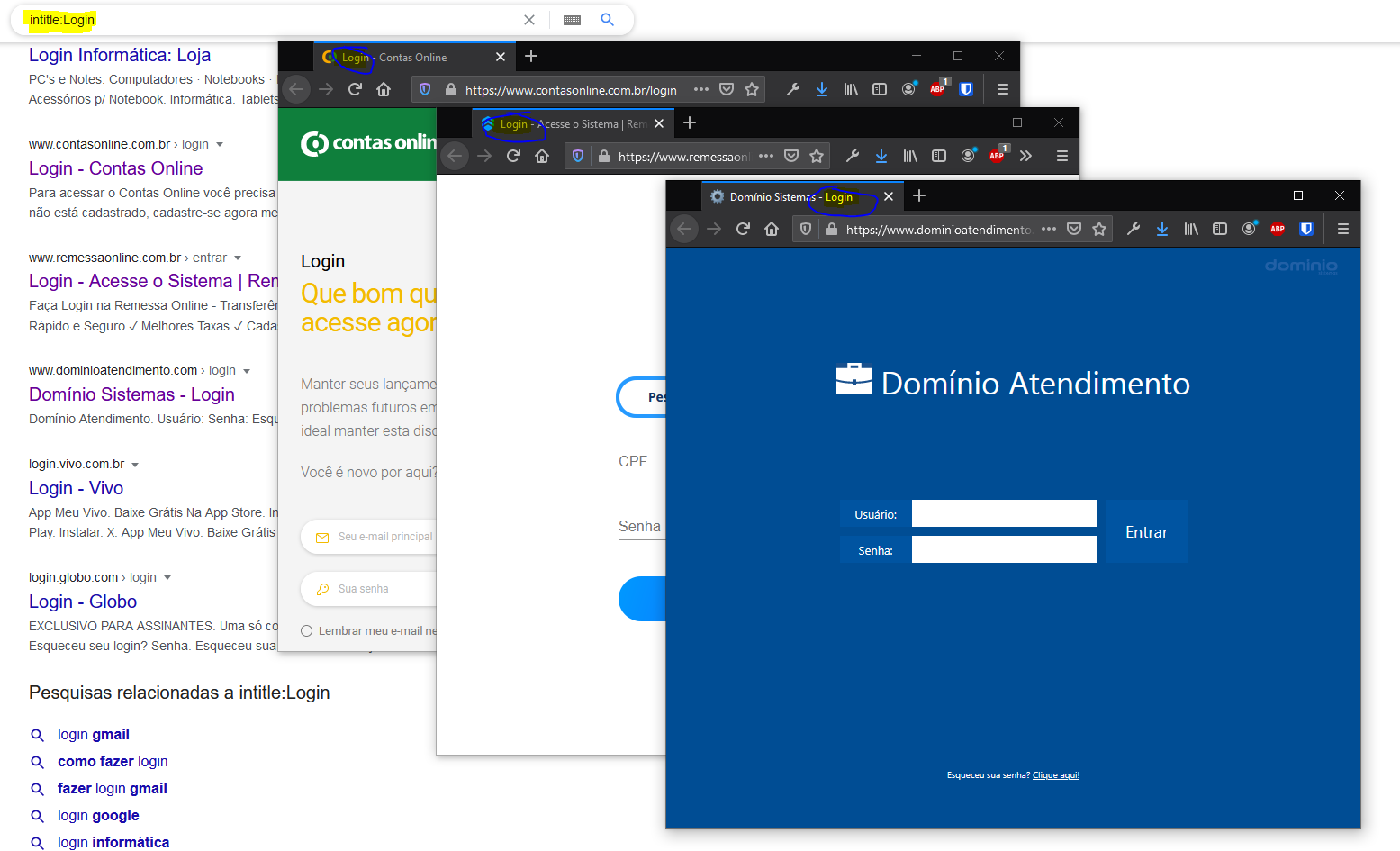
The ‘intitle:‘ operator searches specifically for terms in a page’s title. For example, inurl:login will list every page with the term ‘login‘ in the title. That means you can quickly pull up a huge list of systems, landing right on their login pages, ready for mass penetration testing.
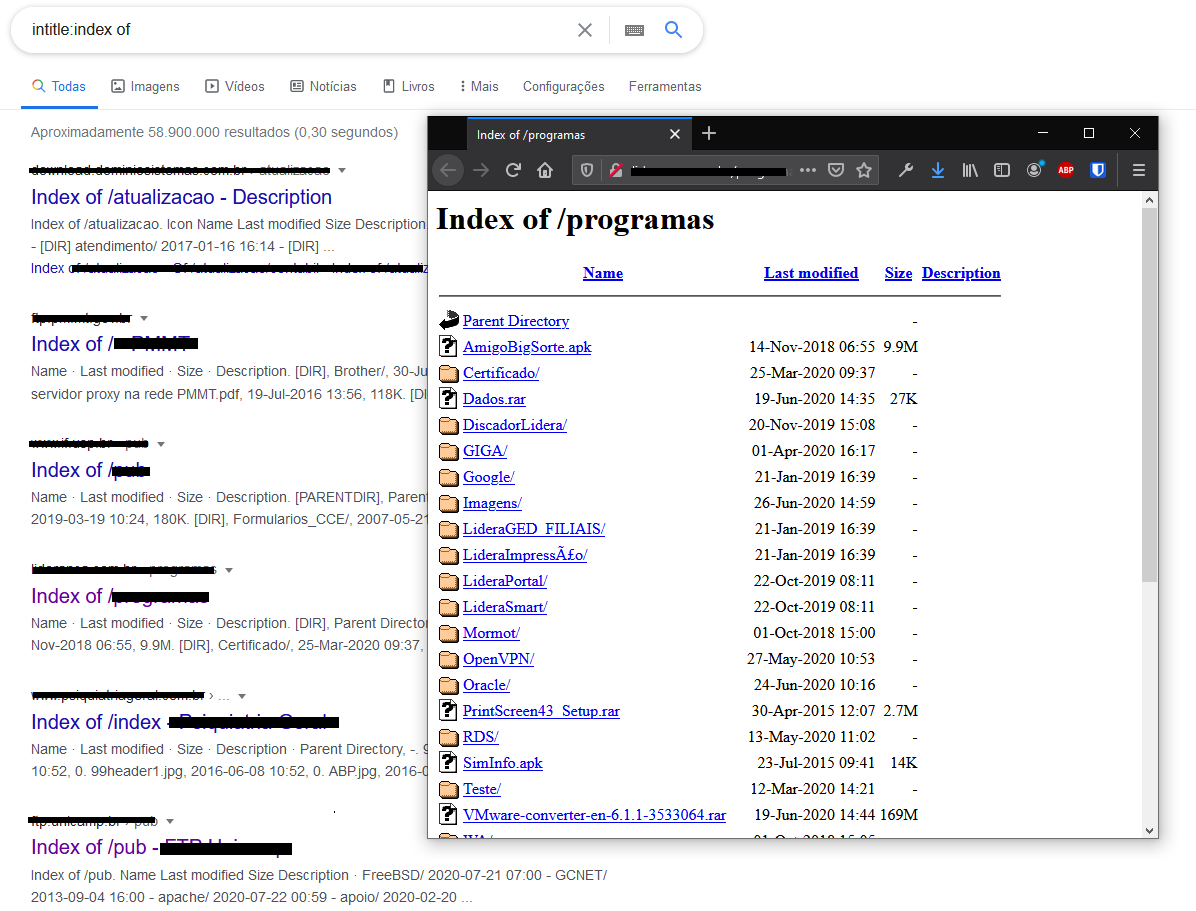
Another example is looking for misconfigured pages that have directory listing enabled, exposing the system’s files. This flaw is categorized as “Server Security Misconfiguration > Directory Listing Enabled“, and these listings usually have a title that starts with index of. So you can search inurl:index of, as in the example below.
More examples:
- intitle:”< Fazer login”
- intitle:”index of (site domain name).com.br or .br mysql”
The inurl operator
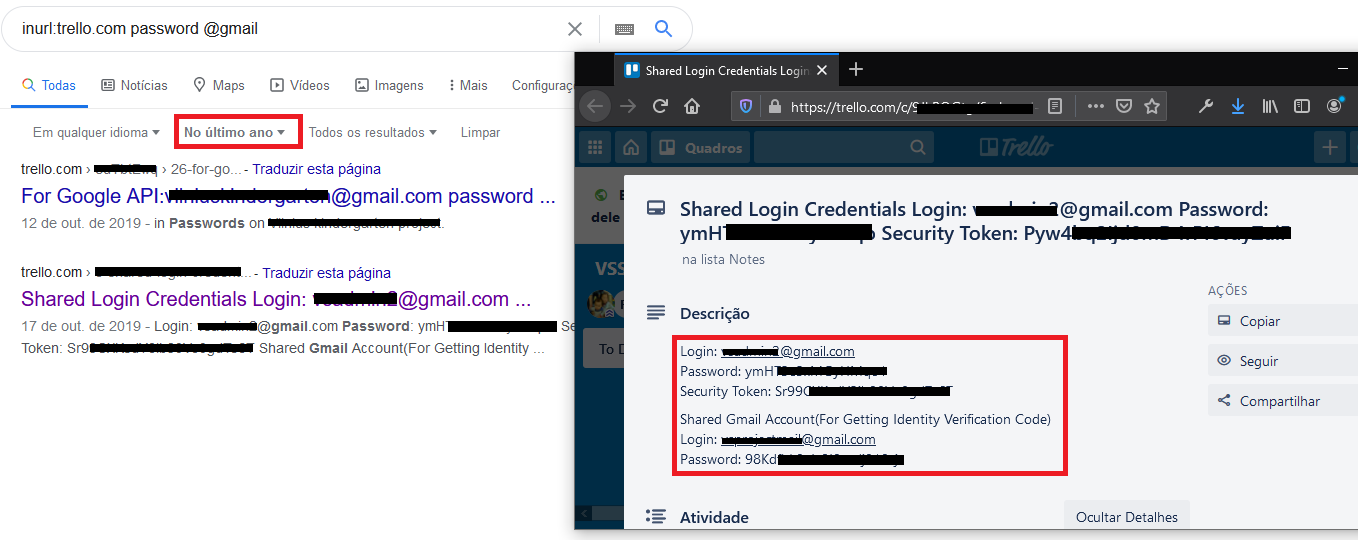
The ‘inurl:‘ operator finds pages whose URL contains the terms you searched for, which narrows the results and sharpens the focus of your search. For example, to find mentions of ‘password‘ and ‘gmail‘ only on https://trello.com, just search inurl:trello.com password gmail.
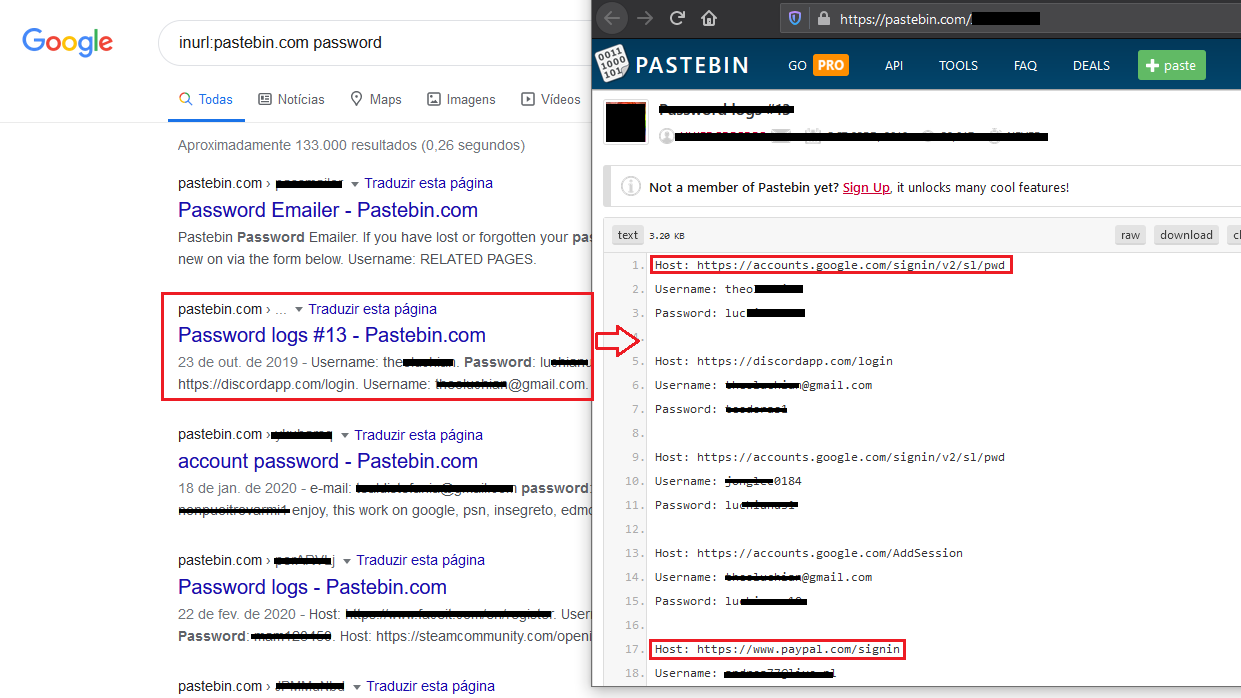
A site well known as a dumping ground for leaked information is https://pastebin.com/. The site used to have its own search feature that made it easy to find what people had posted, but it was removed precisely because it made exposed sensitive data so easy to find. That didn’t stop Google from indexing the content and making it searchable. In theory, you could use this operator to look for exposed passwords, for example inurl:pastebin.com password.
Another use of the operator is finding systems to test for SQL Injection vulnerabilities. Searching for produtos.php?id=, for example, returns pages that take an id as a parameter and use it in a SQL command.
More search examples:
- inurl:gov.br
- inurl:github
- inurl:/admin
- inurl:/wp-admin
The intext operator
The ‘intext:‘ operator searches the body of pages and indexed content. You can use it on its own, but it really shines when combined with the other operators. For example, searching for the term ‘digispark‘ on https://eduardogadotti.com looks like this: inurl:eduardogadotti.com intext:digispark.
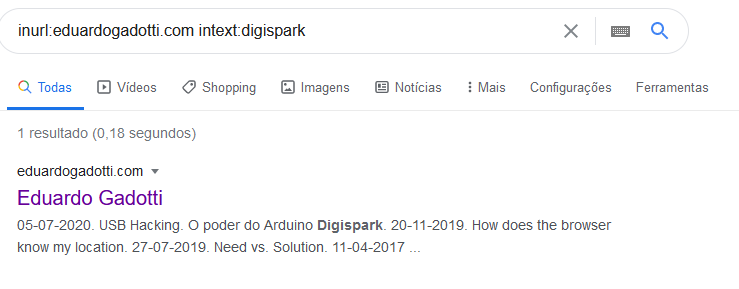
You can use it to refine the examples above, searching the content of sites like github, trello or pastebin. But it gets really powerful when you pair it with the next operator.
The filetype operator
And now for the cherry on top: the ‘filetype:‘ operator, which searches for files, and their contents, available on servers. That means you can search txt, log or config files, information that normally isn’t reachable by browsing a page. Other times, because of server misconfigurations, files are exposed by accident.
Log and txt files usually hold internal information used by an application’s developers, or logs created by hackers who broke into the system and are logging sensitive data. Not every file a search like this returns will contain information that compromises access, but plenty of them do.
For example, you can search for passwords in log files with filetype:log password.
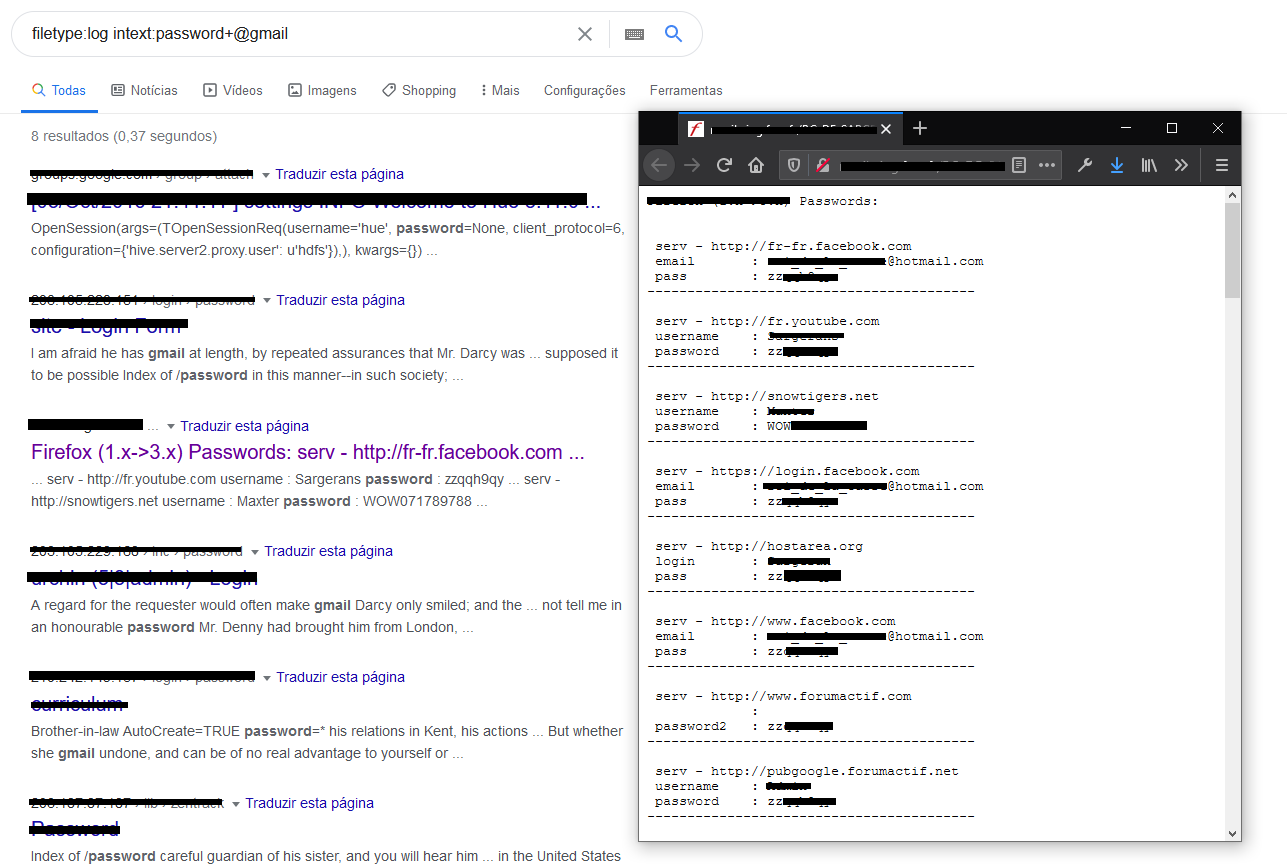
Or passwords in txt files with filetype:txt password.
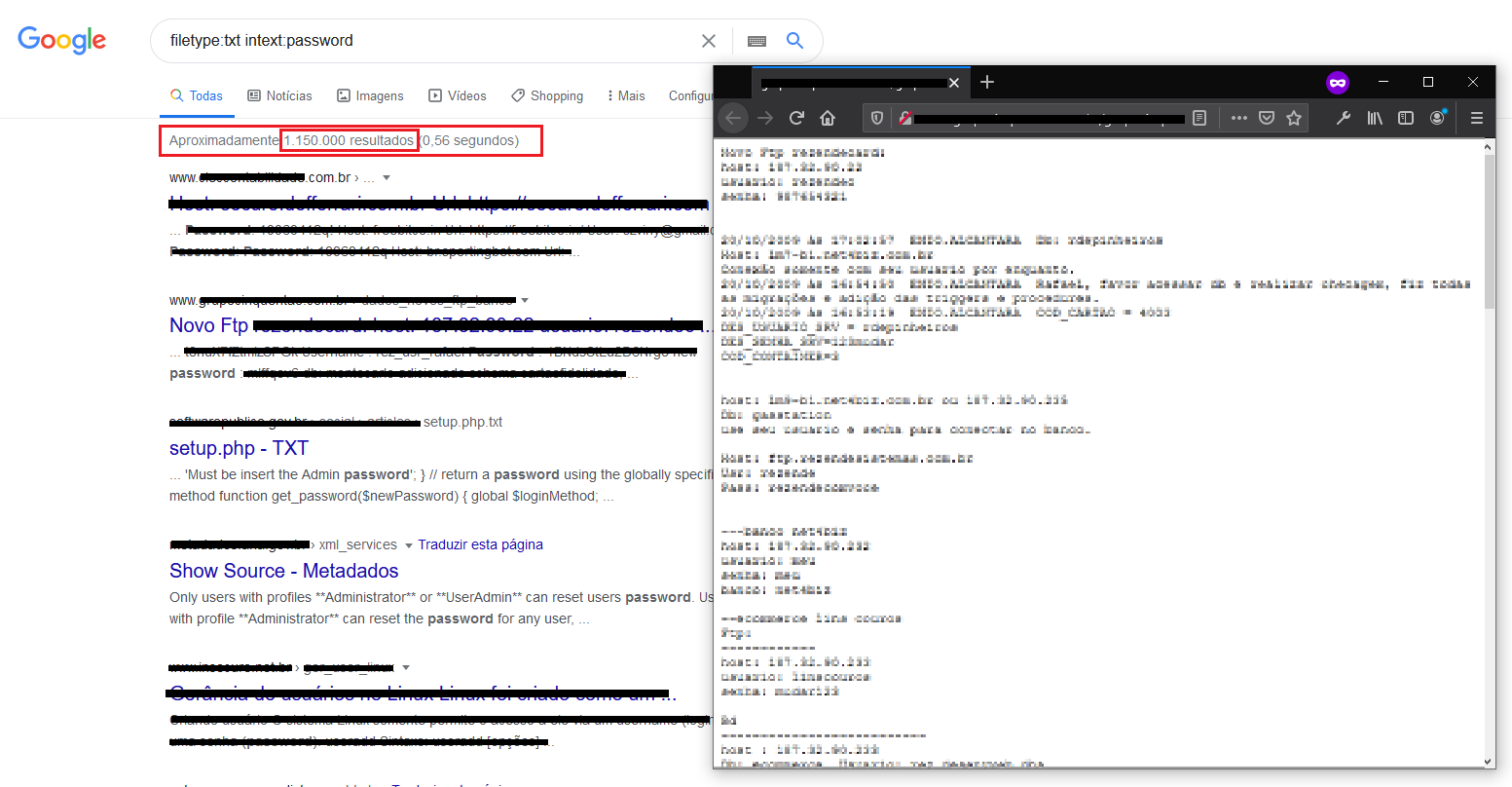
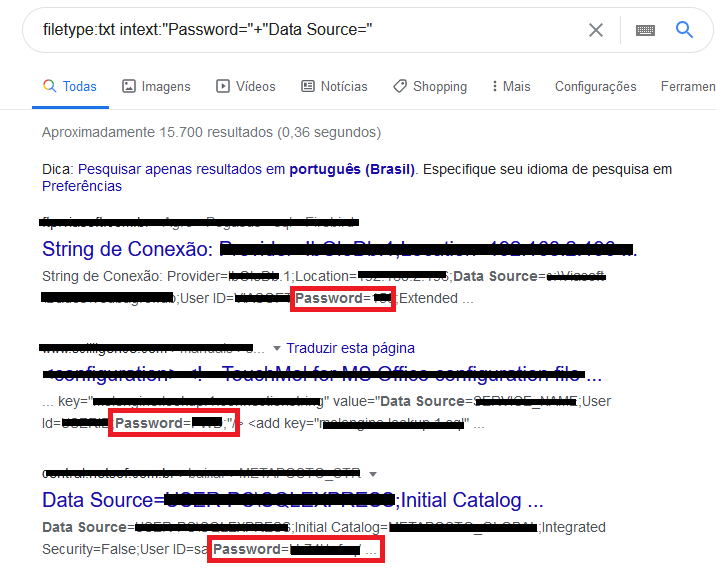
Don’t overlook database connection strings: they don’t escape either when you combine the filetype and intext operators, for example filetype:txt intext:”Password=”+”Data Source=”.
Some examples of file types:
- filetype:log
- filetype:txt
- filetype:config
- filetype:csv
- filetype:xls
Refining your searches
You can even combine all of the operators above in a single search. There are also a few refinements that help, as the connection string search showed: put a term in quotes for an exact match (“Password=“), and add more terms with the plus operator (“Password=”+”Data Source=“).
Conclusion
I only covered a few operators. Even on their own they’re very useful, but they’re just a small part of the many that exist, such as cache:, define:, related:, allintitle, and more.
I deliberately left out more examples and other search terms that would turn up even more potentially sensitive information, since that’s not the goal here. As Master Yoda would say, “Choose wisely, you must, young padawan.“ Translation: use these techniques to look for and monitor information about yourself or your company. My aim isn’t to encourage credential compromise or data theft, but to show how some of these exposures happen, so we can be prepared and know how to protect ourselves.
Together with what I covered in my previous post (How to make a malicious hacker’s job easier), these are great ways to monitor and search for information that matters to you.